
Applying UI/UX Design to Real-World Problems
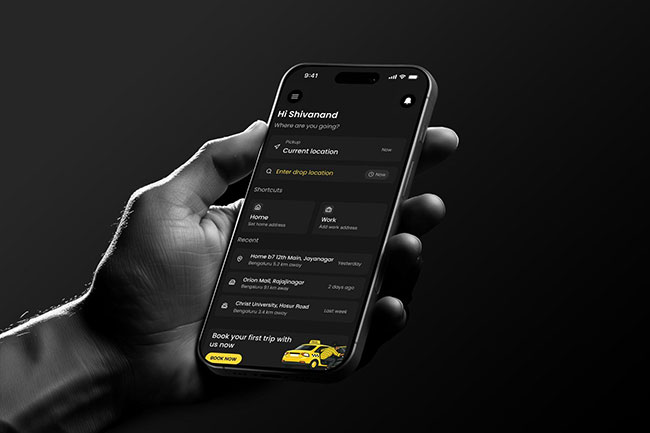
During my UI/UX design course at ICAT College of Design and Media, I aimed to move beyond theory and apply my skills to solve real-world challenges. While many UI UX design courses focus on visuals, my training emphasized solving user problems related to safety, pricing transparency, and usability.
This led to the creation of SimpleRide, a user-centered ride booking app designed to simplify transportation with a focus on clarity, trust, and ease of use.

Idea Generation: Identifying the Problem Space
The journey began with identifying key challenges faced by daily commuters. Through observation and user conversations, I found that users often struggle with:
- Long waiting times for rides
- Unclear or fluctuating pricing
- Safety concerns during travel
- Difficulty finding reliable drivers
- Complicated booking processes
Many existing apps required too many steps, creating friction in the user journey. My goal was to design a simple, fast, and reliable ride-booking experience, especially for users in small towns and cities.
Research Phase: Understanding User Needs
To build an effective solution, I conducted both secondary and primary research:
Secondary Research
I analyzed existing ride-booking platforms and identified common issues:
- Cluttered interfaces
- Lack of pricing transparency
- Complex booking flows
- Limited trust and safety features
Primary Research
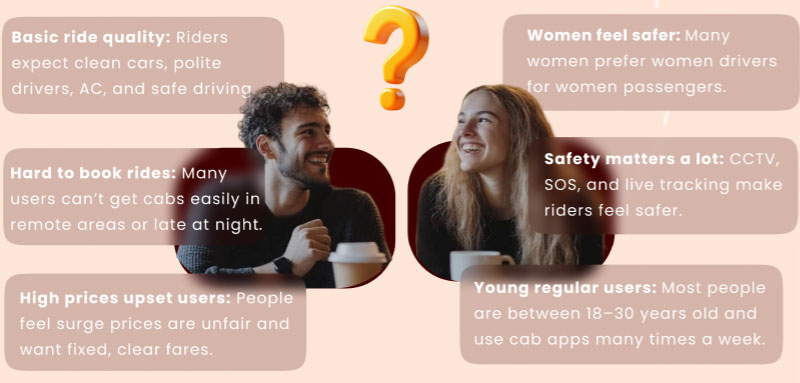
I interviewed daily commuters, students, and professionals. Key insights included:
- Users prefer quick and simple booking flows
- Clear pricing before confirmation is essential
- Trust and safety features are critical
- Easy navigation improves overall experience
These findings highlighted that users need not just functionality, but clarity, trust, and simplicity.
UX Case Study: Structuring the Experience
Before designing the interface, I focused on building a strong UX foundation:
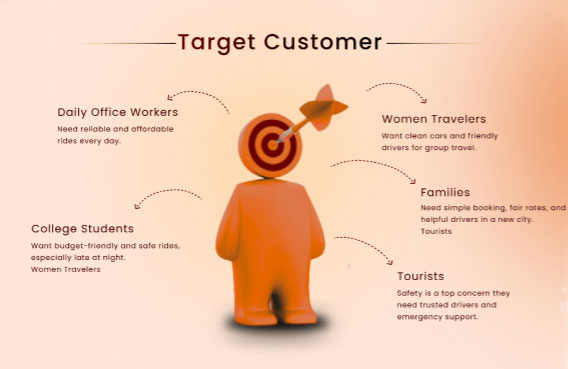
- Created user personas (commuters, students, occasional travelers)
- Developed empathy maps to understand user behavior and pain points
- Designed user journey maps to identify friction points
- Built a clear information architecture
- Created user flows for key actions like booking rides, tracking drivers, and payments
This ensured a smooth and intuitive user experience.
Wireframing: Building the Blueprint
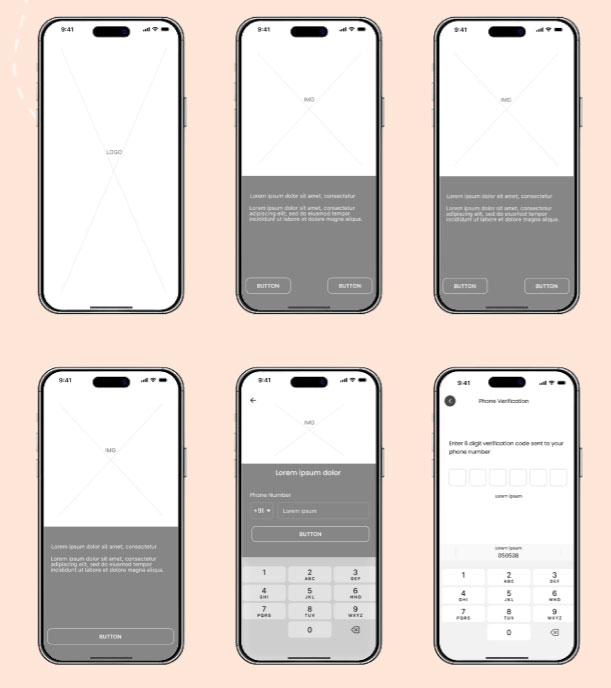
I started with low-fidelity wireframes to define structure and functionality.
Key priorities:
- Simple navigation
- Clear information hierarchy
- Minimal steps for booking
- Accessibility for all users
Multiple iterations helped refine the layout and optimize usability before moving to final design.
UI Design: Crafting the Visual Experience
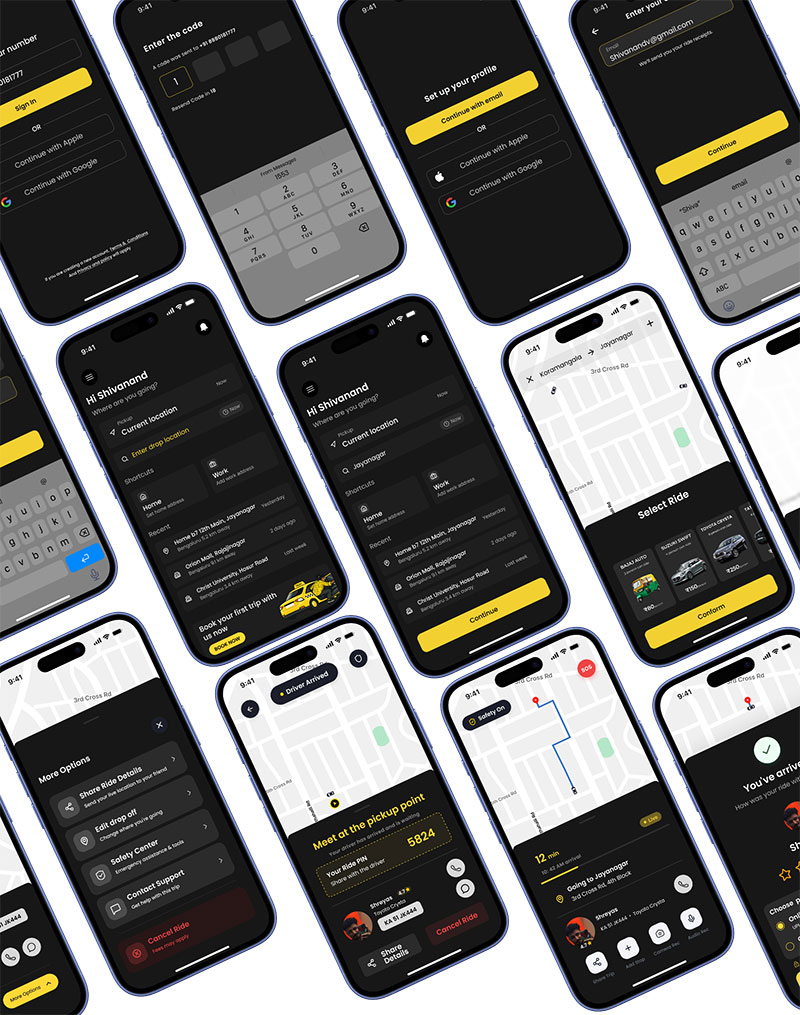
In the UI phase, I focused on designing a minimal and user-friendly interface:
- Clean and limited color palette
- Readable typography
- Consistent UI components (buttons, cards, icons)
- Balanced spacing and layout
Every design decision aimed to improve clarity, usability, and user confidence.
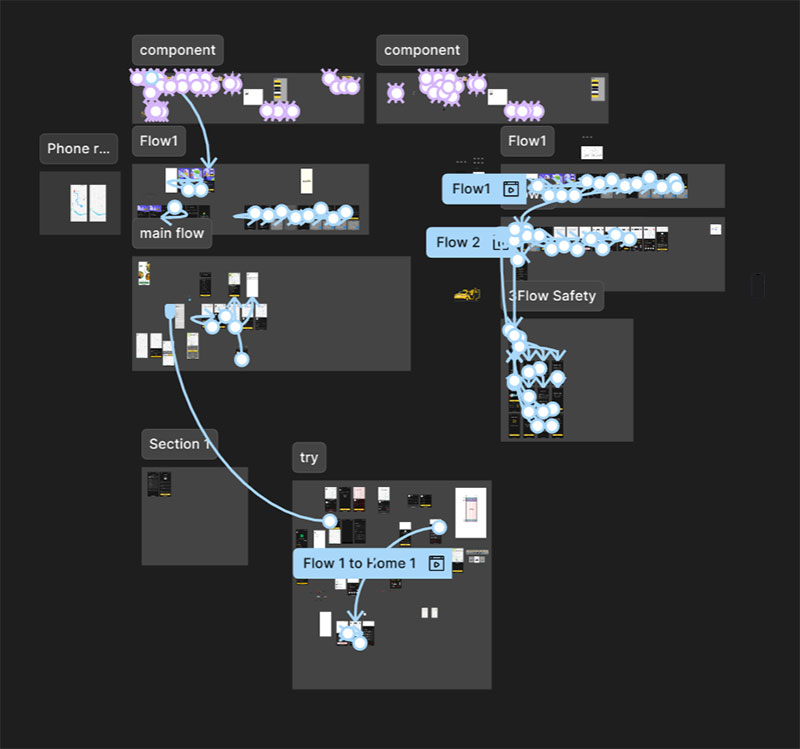
Prototyping: Making the App Interactive
Interactive prototypes helped simulate real-world usage and refine the experience.
Key user journeys tested:
- Booking a ride
- Viewing driver details
- Tracking rides in real-time
- Completing payments
This phase helped identify usability issues and ensured a smooth and intuitive flow.
UI/UX Presentation: Showcasing the Design Journey
The final stage involved presenting the complete UI/UX case study:
- Research insights and user findings
- Wireframe iterations and UX strategy
- Final UI screens and design system
- Interactive prototype flows
This demonstrated not just the final product, but the entire design thinking process behind SimpleRide.
I am grateful for the opportunity to showcase SimpleRide at the ICAT College Graduation Showcase at Mantri Square Mall, where faculty, industry professionals, and visitors provided encouraging feedback. Their insights not only validated the project but also boosted my confidence as a UI/UX designer ready to tackle real-world challenges.
Conclusion: From Learning to Real-World Application
SimpleRide represents the culmination of my UI UX design training at ICAT College of Design and Media. By applying core UX principles and understanding the difference between UI and UX, I created a solution that simplifies ride booking and enhances user experience.
More than just an academic project, SimpleRide reflects how thoughtful design can solve real-world problems.
You can explore more student UI/UX design blogs to see how innovative ideas are brought to life.